Tutor · part of Pro

Your exams, planned and taught from your slides.

Tutor plans every exam and piece of coursework into your week, then teaches each session from your own notes, with the page it came from.
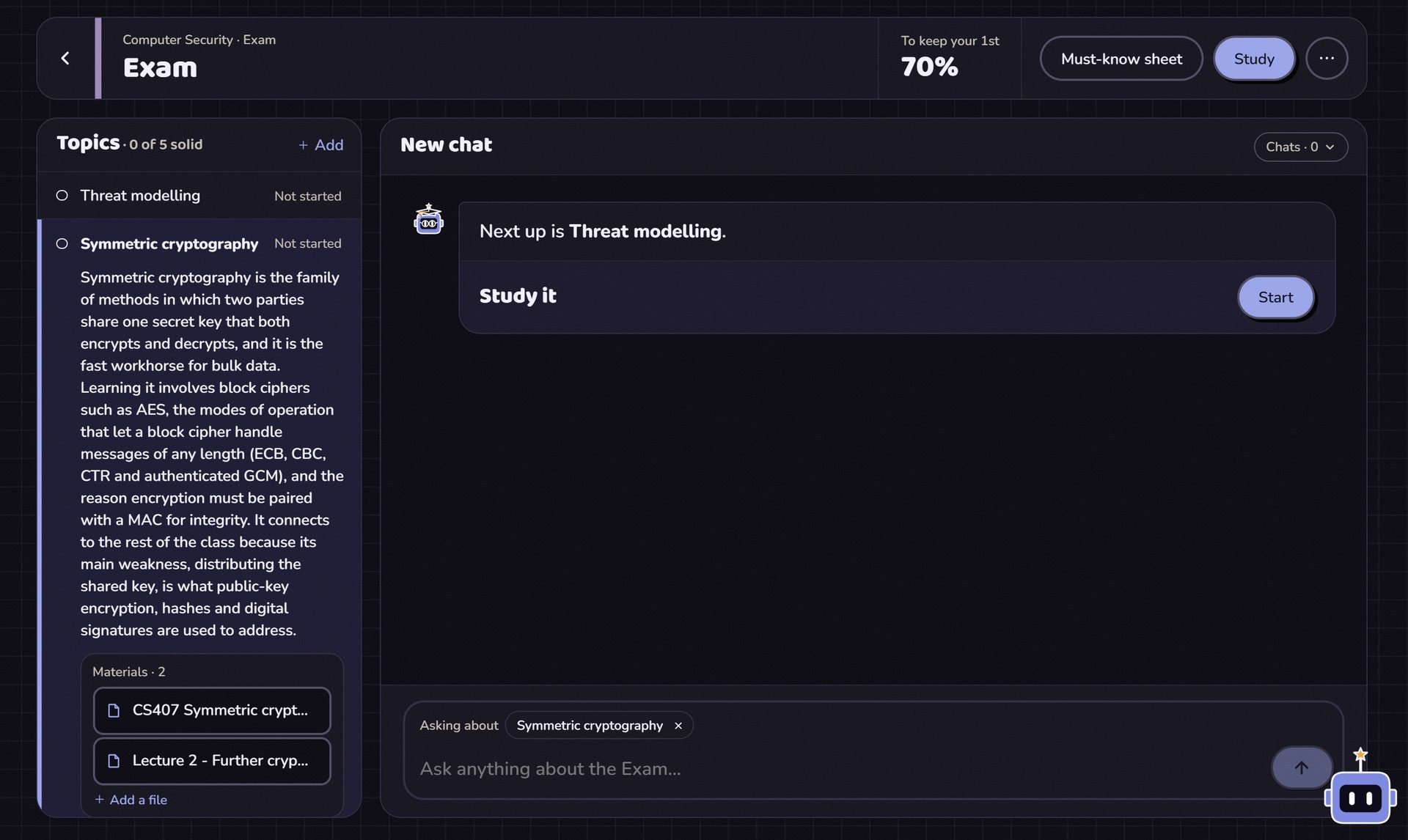
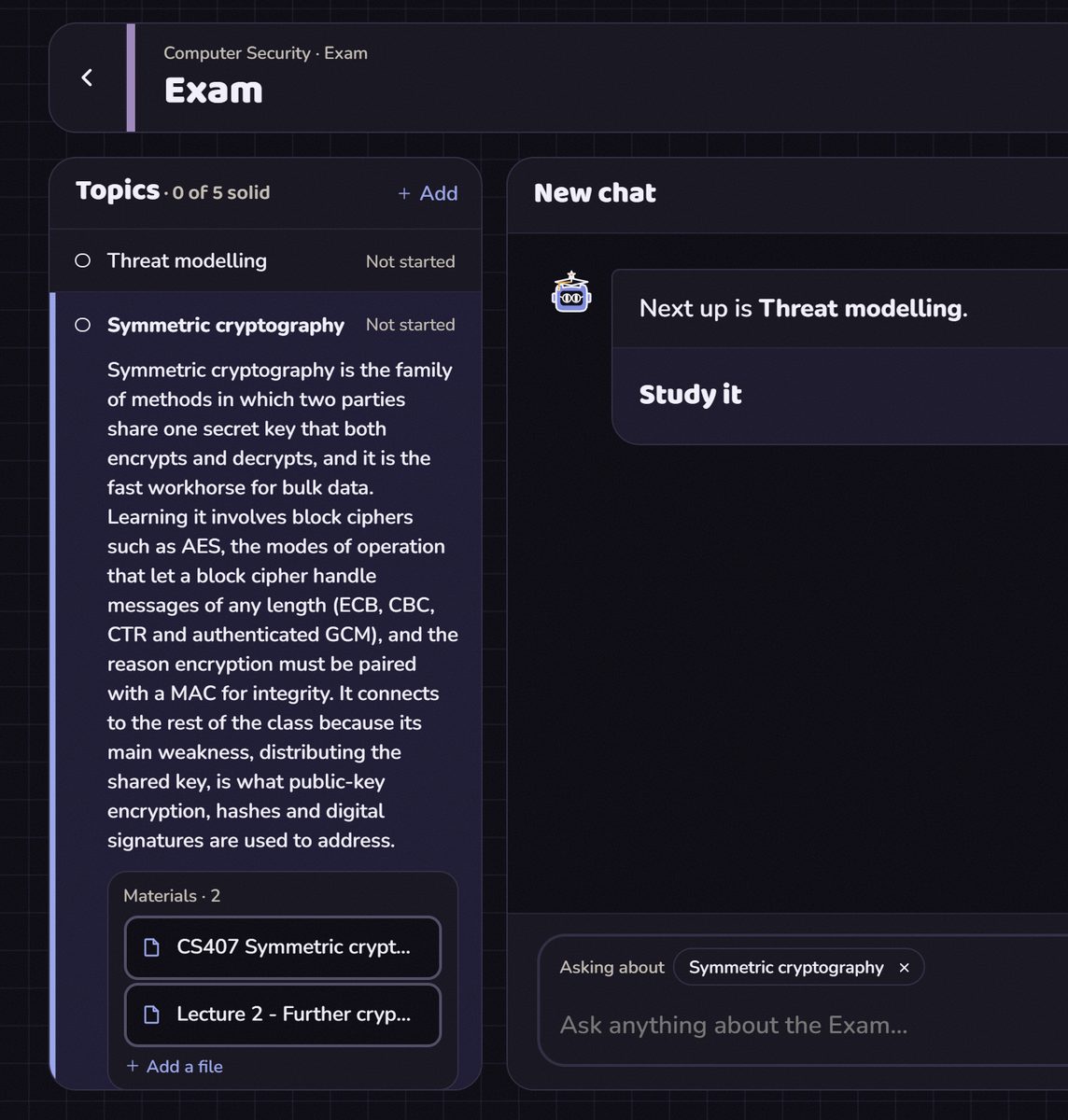
Tutor’s Space for the Computer Security exam. The header reads To keep your 1st: 70%, with Must-know sheet and Study. On the left, Topics, 0 of 5 solid: Threat modelling, not started, and Symmetric cryptography, not started, open with its summary and two materials, CS407 Symmetric cryptography and Lecture 2, Further cryptography. On the right, a new chat opening on “Next up is Threat modelling. Study it” with Start, and the message box asking about Symmetric cryptography.Tutor’s Space for the Computer Security exam. The header reads To keep your 1st: 70%, with Must-know sheet and Study. On the left, Topics, 0 of 5 solid: Threat modelling, not started, and Symmetric cryptography, not started, open with its summary and two materials, CS407 Symmetric cryptography and Lecture 2, Further cryptography. On the right, a new chat opening on “Next up is Threat modelling. Study it” with Start, and the message box asking about Symmetric cryptography.

How Tutor works

Three steps, the same for every exam: it plans when, shows you what, and teaches it.

  1. It plans your week.

    Add your exams and deadlines. Tutor fits study sessions into your free time across every class, and gives the weak topics more of it.

    • Around your lectures and labs
    • Drag any session to move it
    • Every session already knows what it’s for
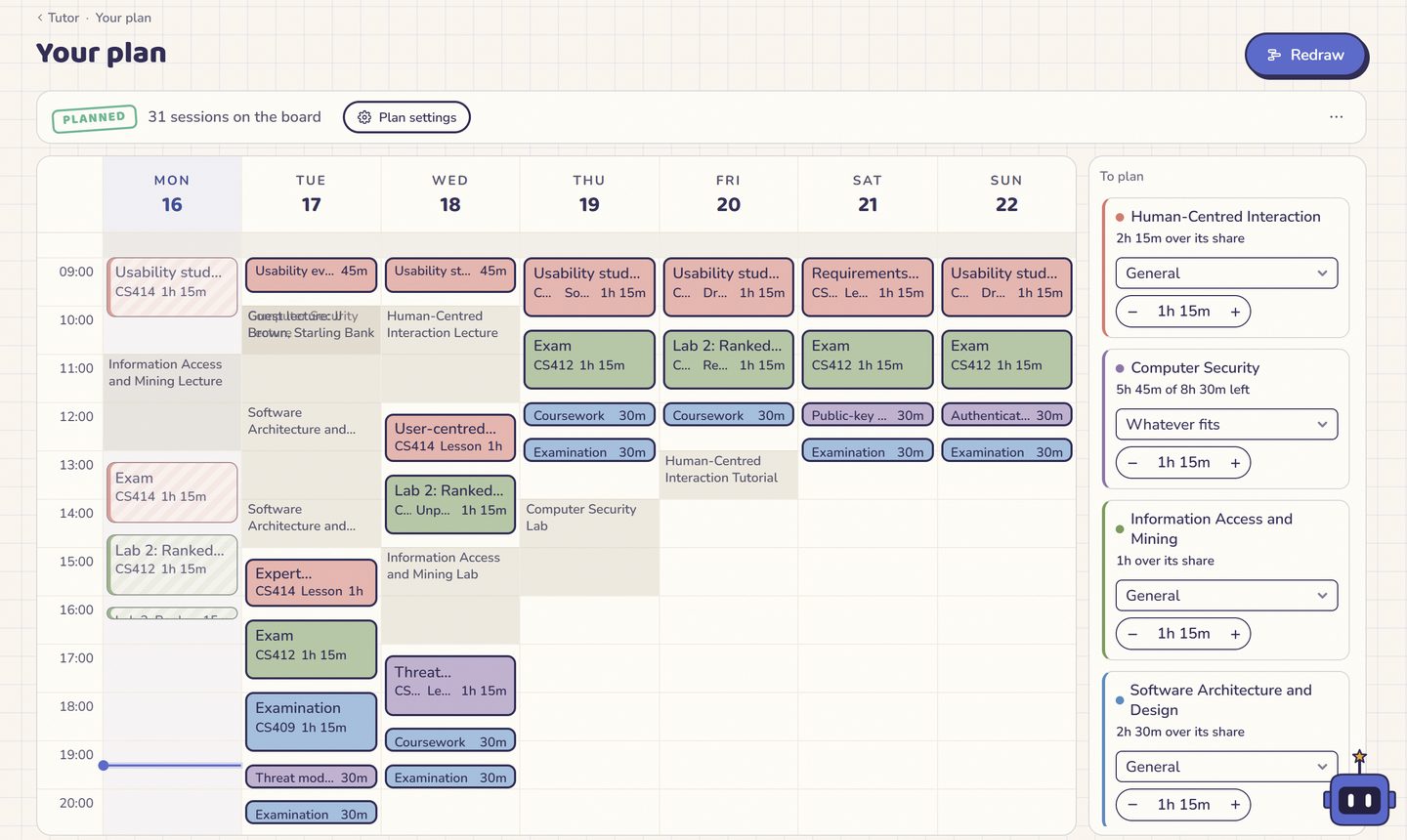
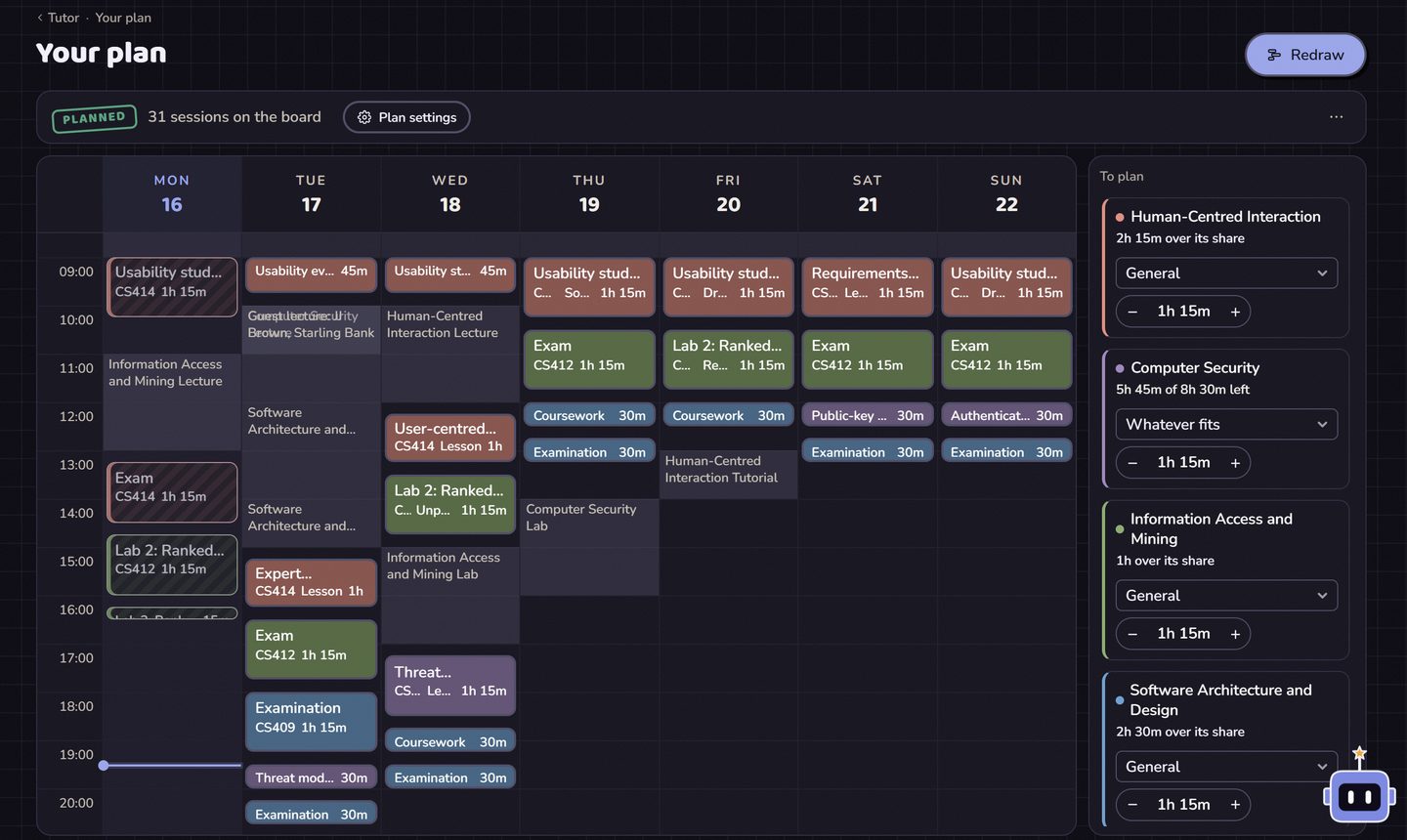
    Your plan in Tutor for the week of Monday 16 November: 31 sessions on the board, each a coloured block named for its piece of work and class, such as Usability study for CS414 at 09:00 and the CS412 exam at 10:00 on Thursday, placed around grey lectures, labs and a tutorial. On the right, To plan: each class’s hours for the week, such as Computer Security, 5h 45m of 8h 30m left.Your plan in Tutor for the week of Monday 16 November: 31 sessions on the board, each a coloured block named for its piece of work and class, such as Usability study for CS414 at 09:00 and the CS412 exam at 10:00 on Thursday, placed around grey lectures, labs and a tutorial. On the right, To plan: each class’s hours for the week, such as Computer Security, 5h 45m of 8h 30m left.
  2. Each exam gets a Space.

    Its topics and how solid each one is, a must-know sheet, and a chat that answers from your own material.

    • Topics marked not started, learning or solid
    • Pick a topic and it answers from that topic’s files first
    • Every answer names the page
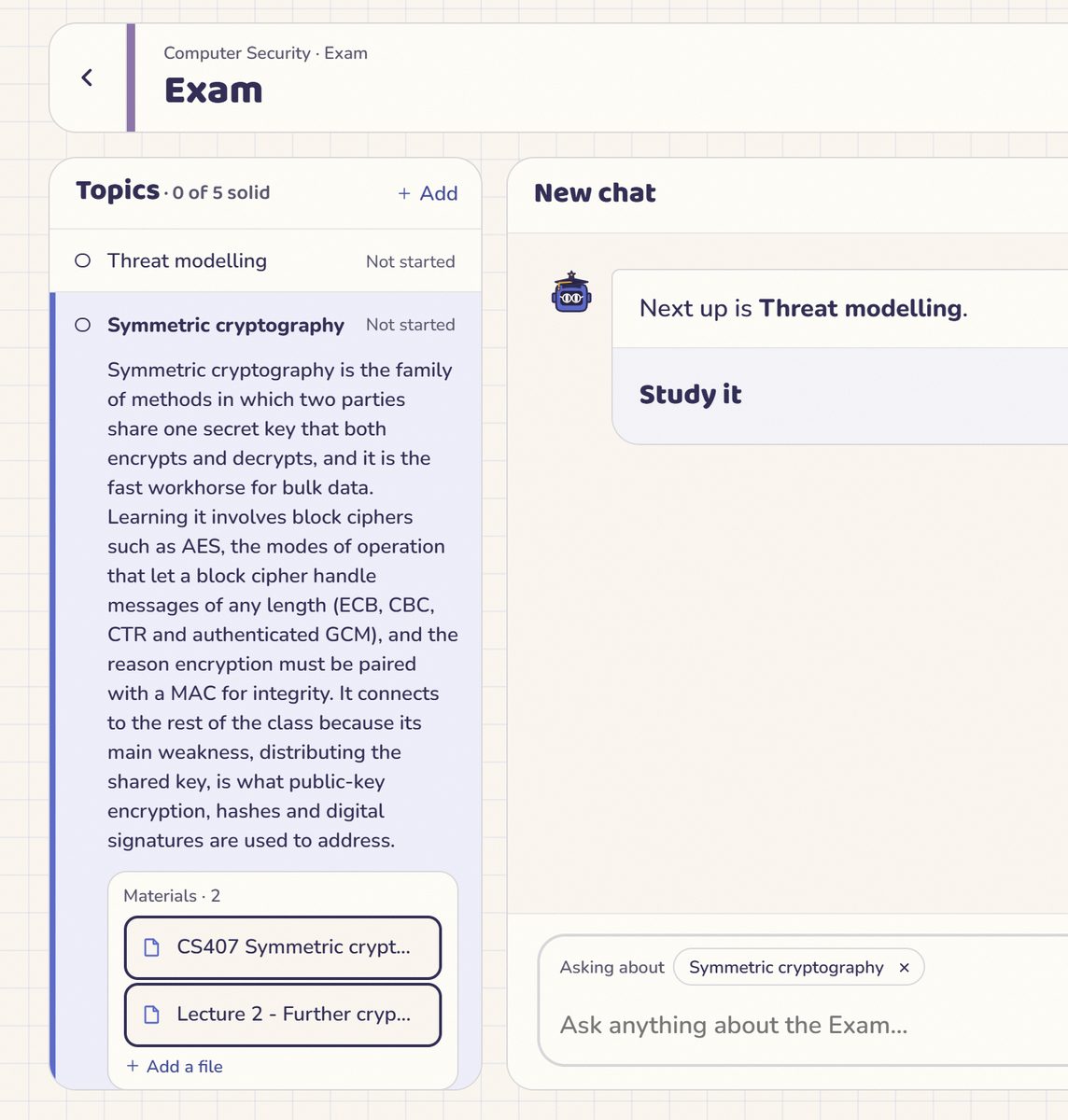
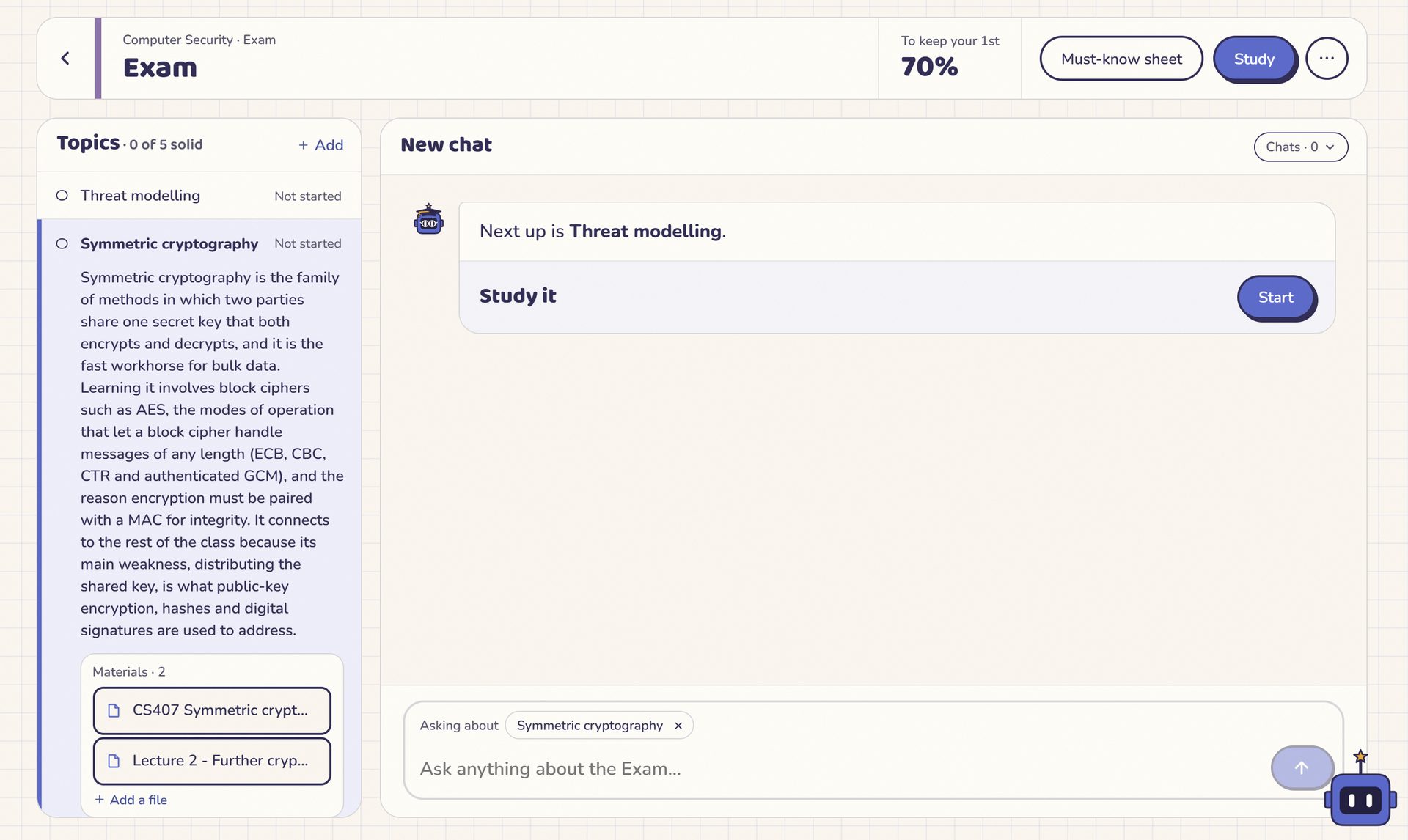
    The Computer Security exam’s Space, closer: Topics, 0 of 5 solid, with Symmetric cryptography open, its summary and its two materials; beside it the chat, “Next up is Threat modelling. Study it”, and the message box’s chip, Asking about Symmetric cryptography.The Computer Security exam’s Space, closer: Topics, 0 of 5 solid, with Symmetric cryptography open, its summary and its two materials; beside it the chat, “Next up is Threat modelling. Study it”, and the message box’s chip, Asking about Symmetric cryptography.
  3. It teaches. You think.

    A lesson, worked problems, recall or a mock paper, made from your slides. Tutor hints before it tells, because students handed answers do worse in the exam.

    • Hints first, the worked answer when you ask
    • Mock papers marked and explained
    • Topics move to solid as your recall holds
    Lesson · Symmetric cryptography

    Why must encryption be paired with a MAC?

    CS407 Symmetric cryptography · p. 9
  4. Coursework too. Your words, always.

    Write your draft in Grademap. Tutor checks it against the brief and names what is missing or unsupported in the margin. It never writes a sentence for you.

    • The brief as a checklist
    • Unsupported claims flagged, not rewritten
    • An authorship record you can share
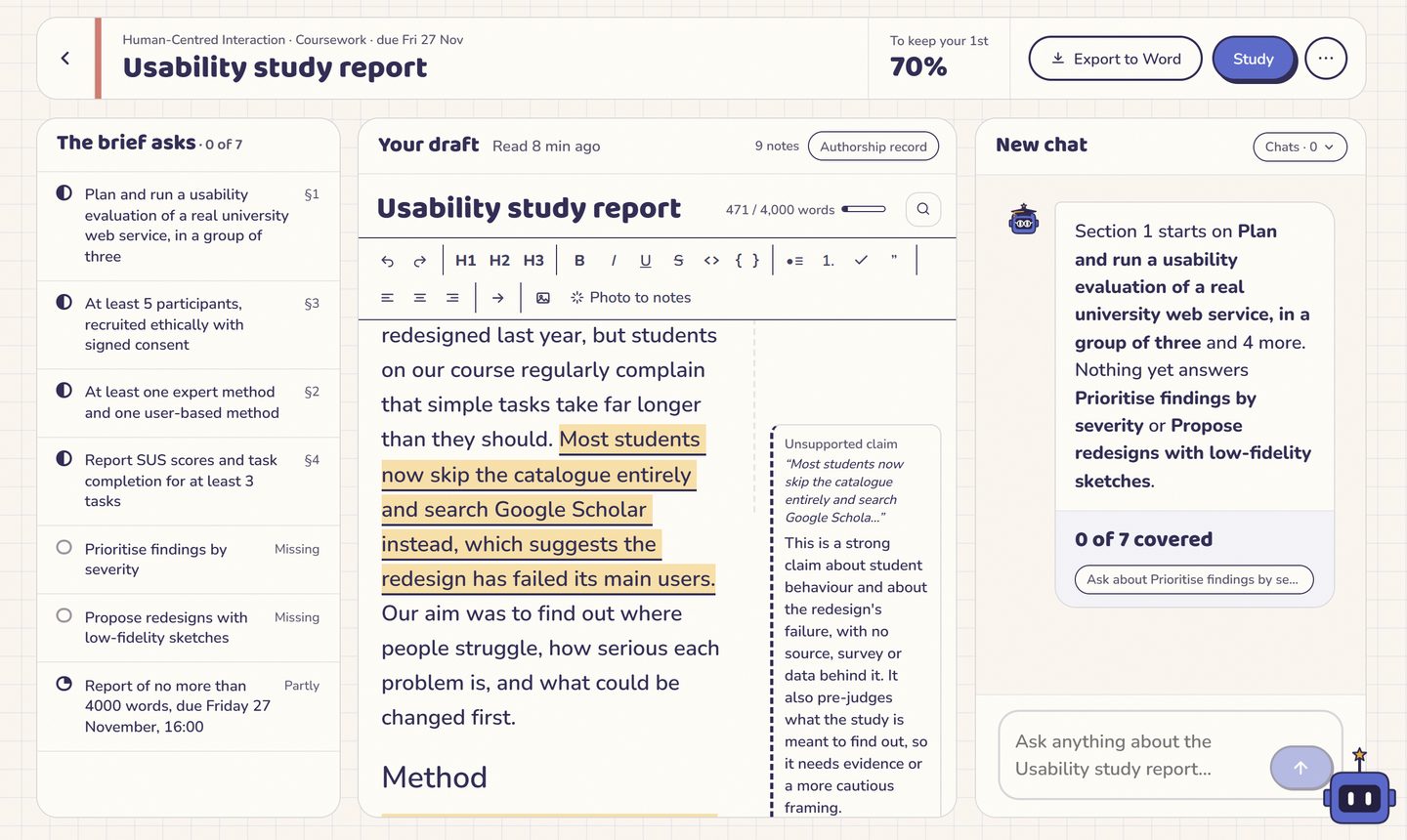
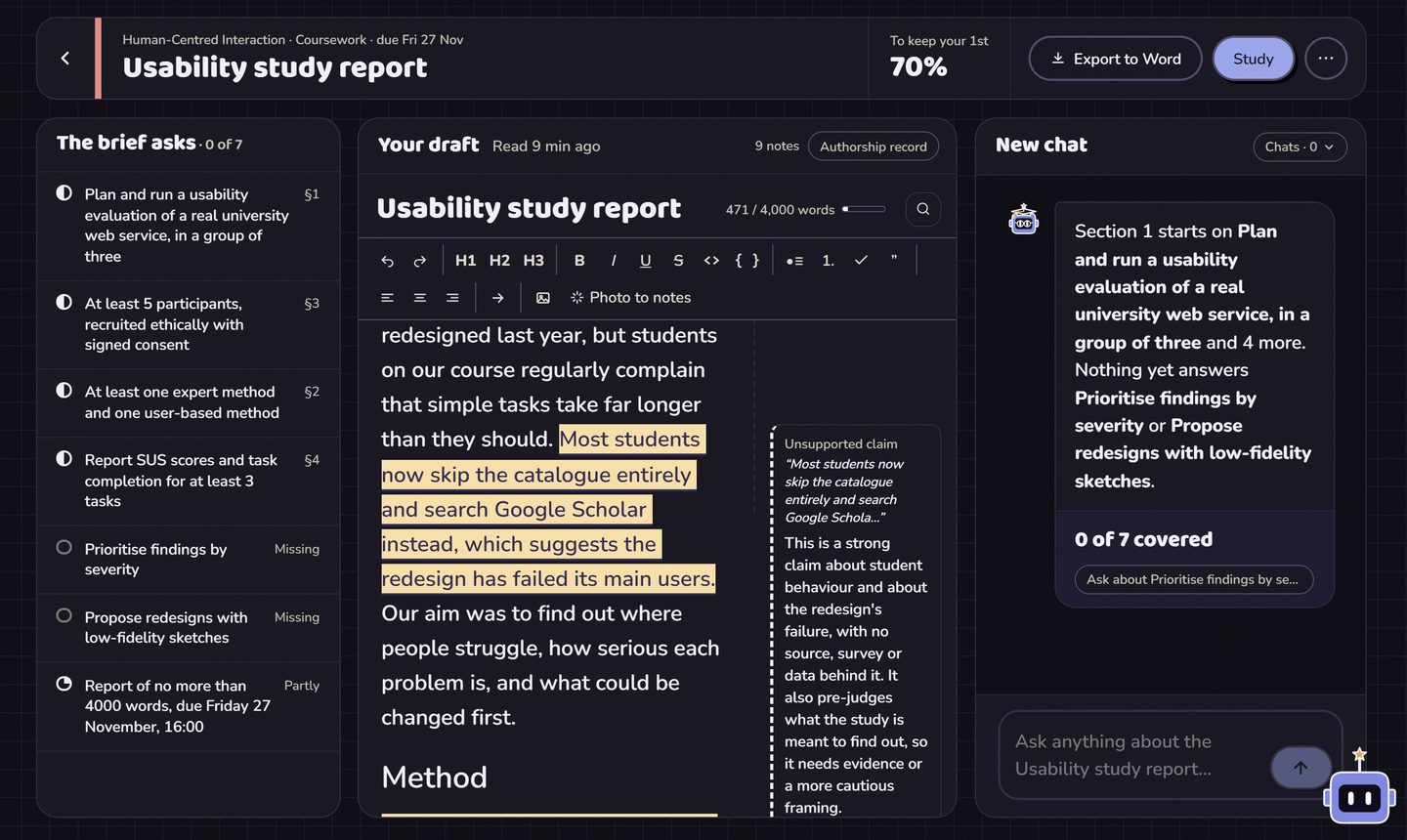
    Tutor’s Space for the Human-Centred Interaction coursework, Usability study report, due Friday 27 November. On the left, The brief asks, 0 of 7: each requirement with how far the draft covers it, two missing and one partly. In the middle, the draft at 471 of 4,000 words with one sentence highlighted, and in the margin Tutor’s note, Unsupported claim, quoting it and saying it needs evidence or a more cautious framing. On the right, a new chat: 0 of 7 covered.Tutor’s Space for the Human-Centred Interaction coursework, Usability study report, due Friday 27 November. On the left, The brief asks, 0 of 7: each requirement with how far the draft covers it, two missing and one partly. In the middle, the draft at 471 of 4,000 words with one sentence highlighted, and in the margin Tutor’s note, Unsupported claim, quoting it and saying it needs evidence or a more cautious framing. On the right, a new chat: 0 of 7 covered.

What Tutor won’t do

  • Write your work.

    It names where a problem is and what kind. The words stay yours.

  • Make things up.

    Answers come from your files, with the page. If your notes don’t cover it, it says so.

  • Hand you the answer first.

    Hints, then the worked answer when you ask for it.

    Why hints: in a 2025 PNAS study, students handed answers by a chatbot did worse in the exam afterwards. A tutor that gave hints instead removed most of that harm.

Exams close? Start tonight.

Try Pro free for 7 days

No card. It ends by itself. £5.99 a month after, or £49.99 a year.